
PRODUCT SOLUTION
Campus Anti-Bullying Voice Emergency Alarm
Voice Help, One-Touch Alarm, Audible & Visual Warning, and Wireless Linkage for Campus Safety.
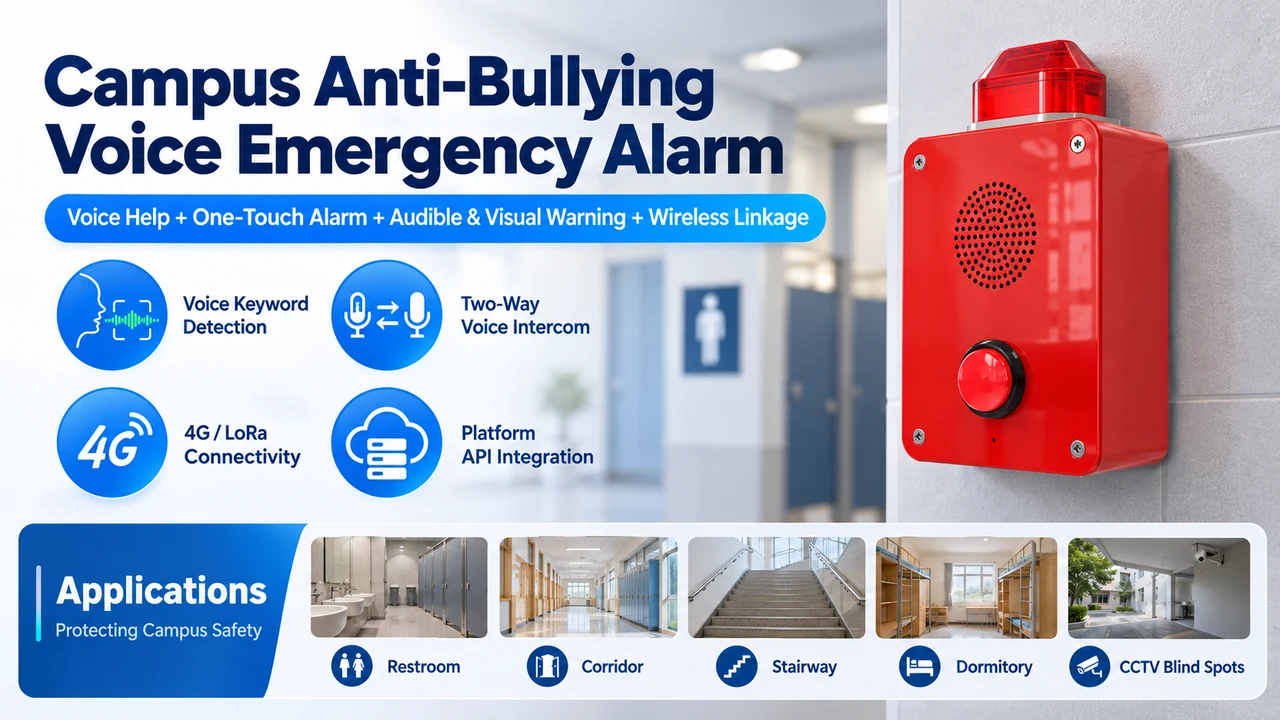
Key Features
Voice Keyword Detection
Supports voice help activation so students can trigger an emergency response faster in sudden situations.
One-Touch Alarm
A large physical button provides immediate manual alarm activation for quick help requests.
4G / LoRa Connectivity
Supports wireless linkage and alarm transmission for connected campus safety deployment.
Platform API Integration
Provides an open interface for centralized alarm management and platform integration.
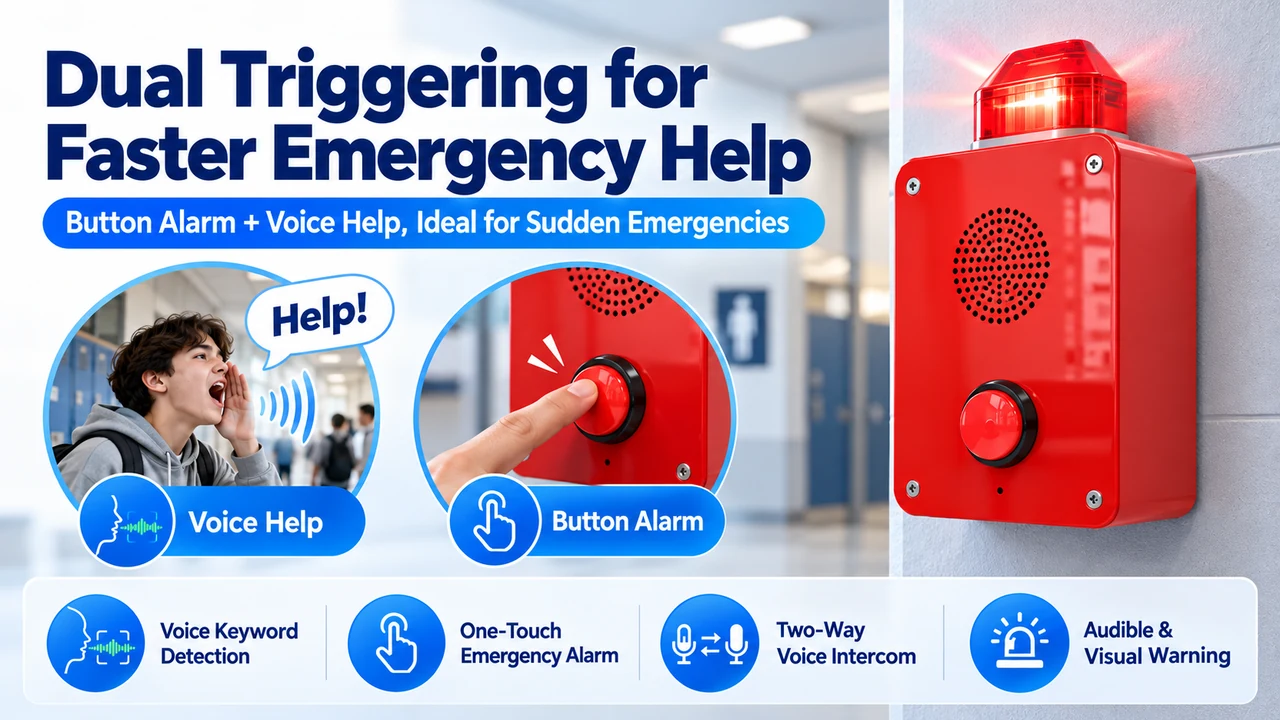
Dual Triggering for Faster Emergency Help
The system supports both voice help activation and one-touch alarm triggering. In sudden bullying or emergency situations, students can call for help or press the button to start the alarm quickly. The device combines voice keyword detection, button activation, two-way voice intercom, and audible & visual warning to help schools shorten response time in high-risk areas.
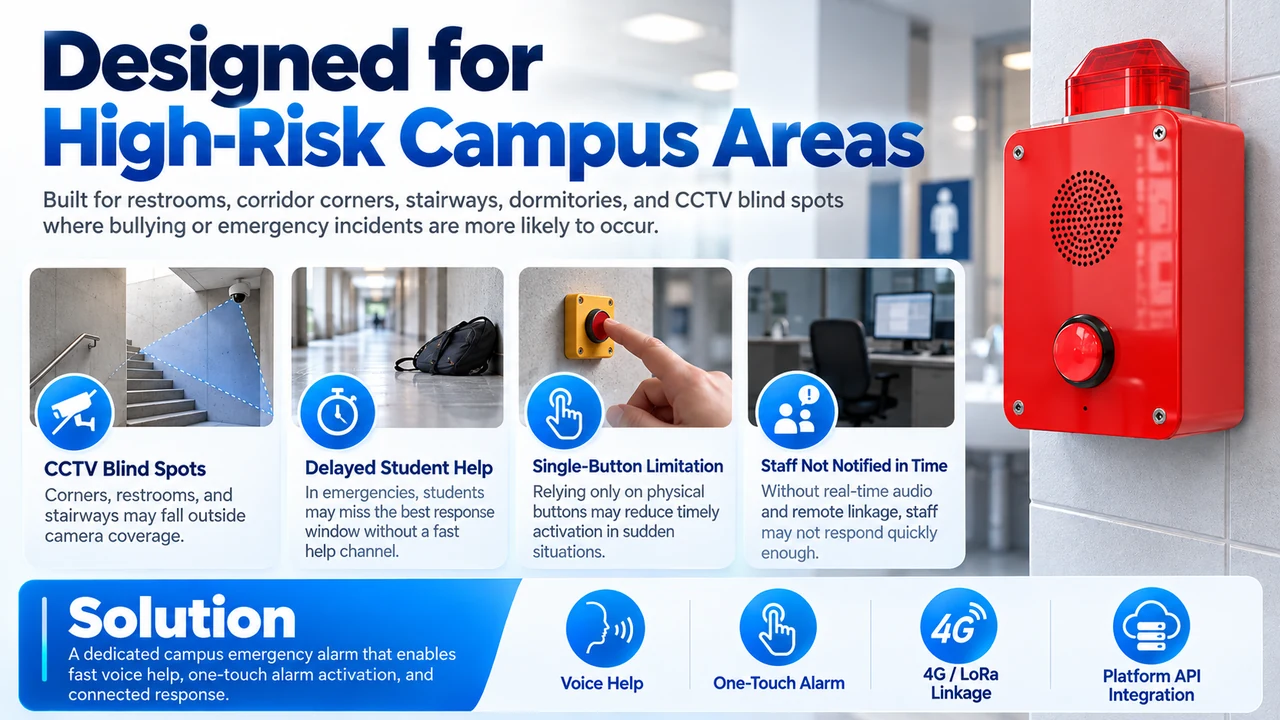
Designed for High-Risk Campus Areas
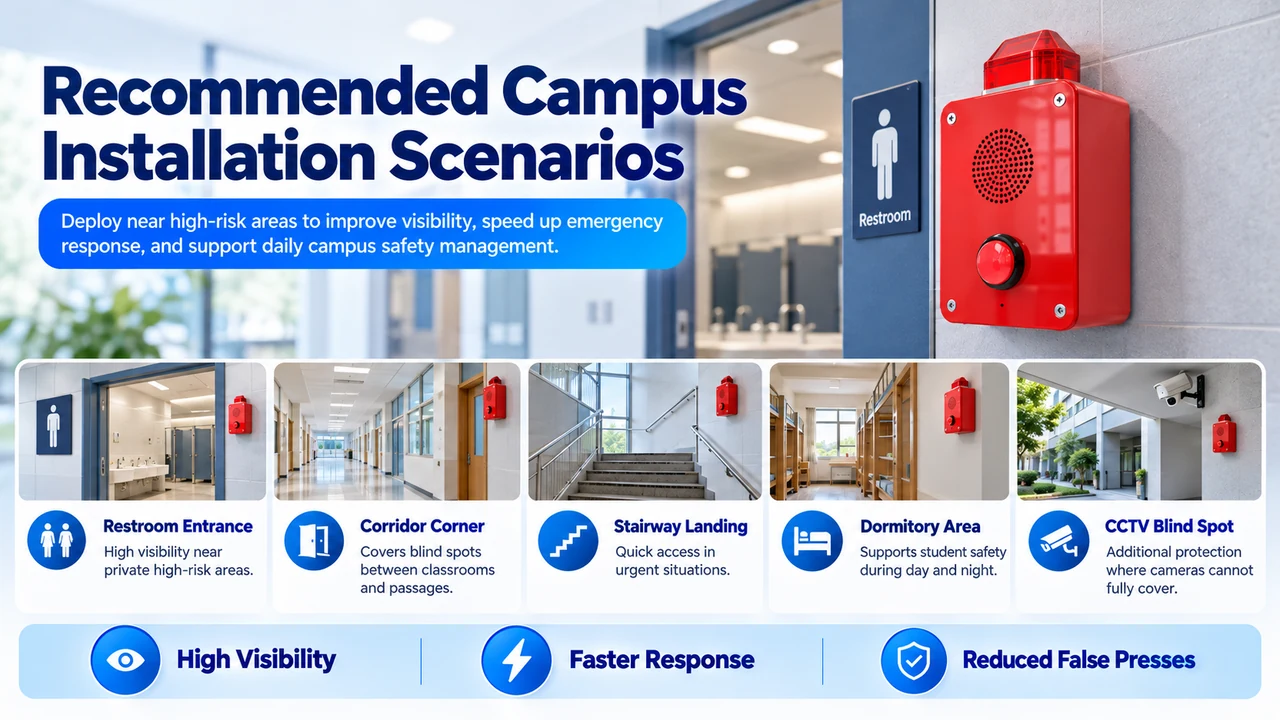
The alarm is designed for areas where incidents are more likely to happen or where immediate help is harder to reach, such as restrooms, corridor corners, stairways, dormitories, and CCTV blind spots. By bringing an accessible emergency help point closer to these locations, the system helps schools improve visibility and create a clearer response path for students and staff.
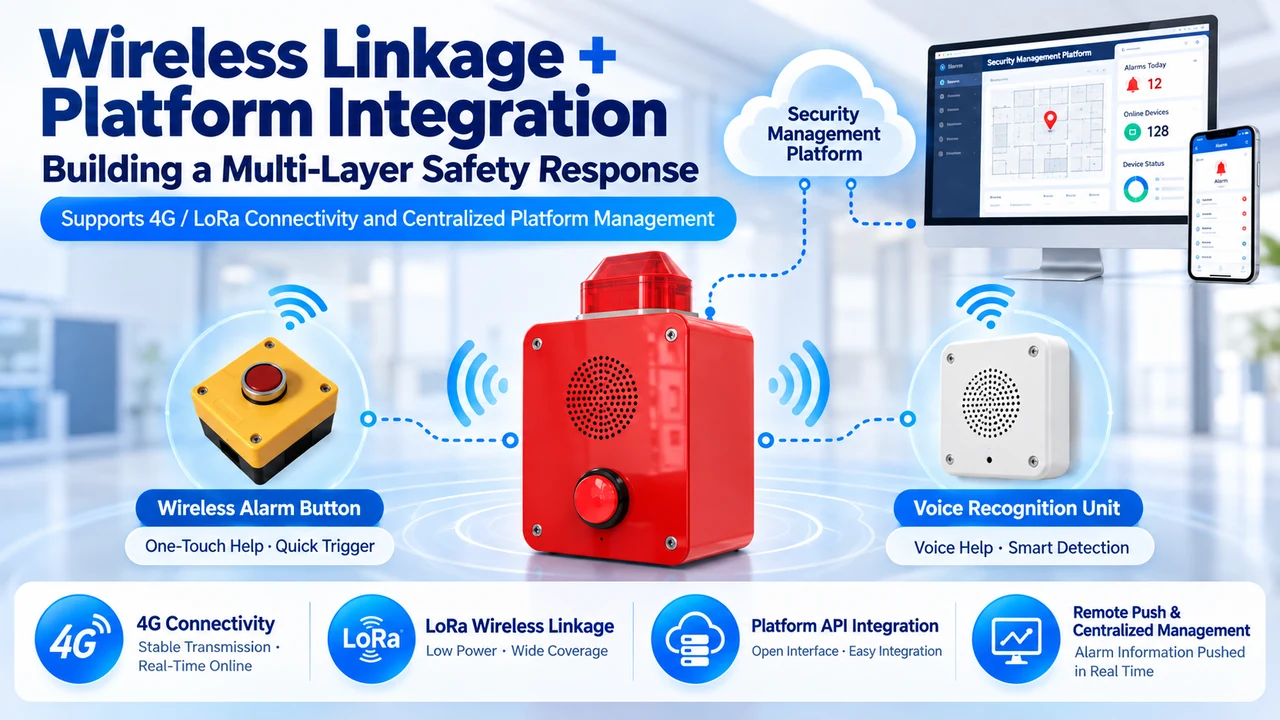
Wireless Linkage and Platform Integration
The solution can work with 4G / LoRa connectivity, a wireless alarm button, and a voice recognition subunit to build a connected campus safety response system. It also supports platform API integration, making it easier to push alarm information to a management platform and support centralized handling and device management.
Recommended Campus Installation Scenarios
Typical deployment points include restroom entrances, corridor corners, stairway landings, dormitory areas, and other locations that benefit from faster on-site emergency assistance. High-mounted installation can improve visibility, reduce casual mis-pressing, and place the alarm closer to monitored or higher-risk zones in daily campus operations.
Multiple Models for Different Deployment Needs
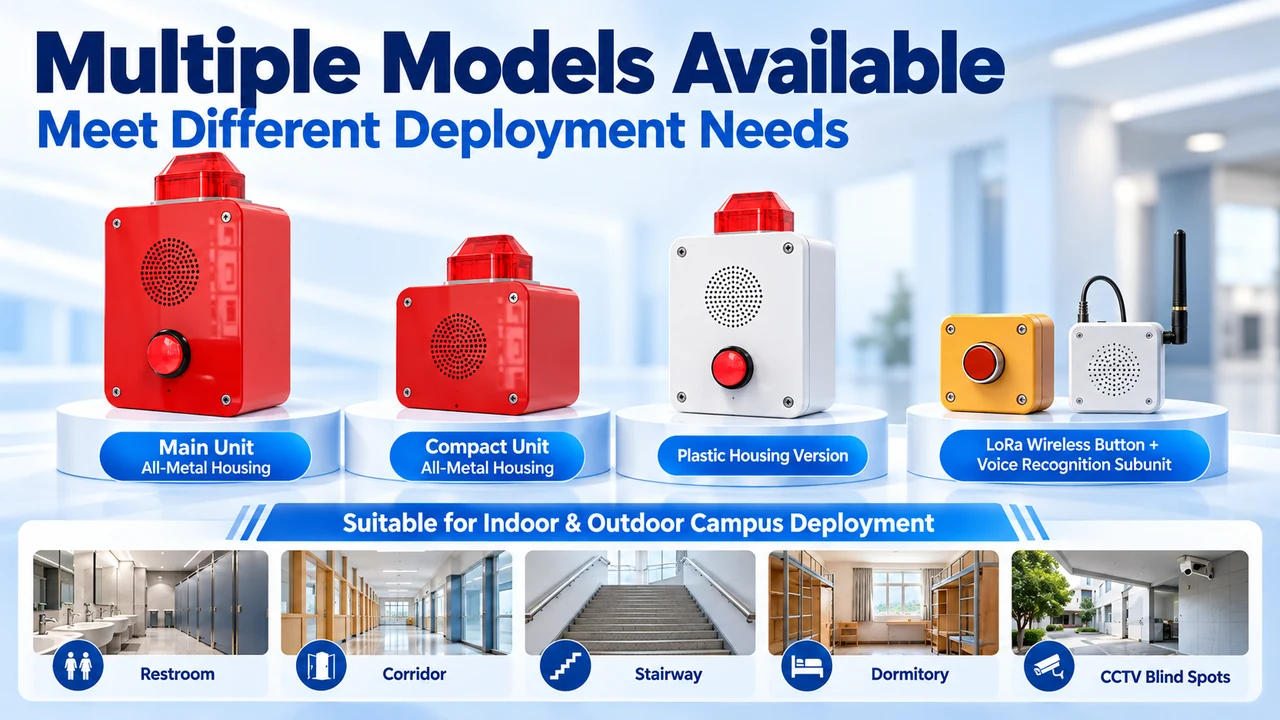
The product family includes a main unit with all-metal housing, a compact all-metal unit, a plastic housing version, and optional LoRa wireless button and voice recognition subunit. This flexible combination helps schools and integrators choose the configuration that best matches different installation spaces, project budgets, and deployment requirements.
PROJECT SUPPORT
Get pricing and technical details
Talk with a KingNeed specialist about the right configuration, integration and delivery requirements for your project.
Practical review worksheet: Campus Emergency Alarm Planning
Use this proposed evidence worksheet alongside the existing guide above. It adds review records, not new product specifications or an installation procedure. Populate only from the actual project documents and leave unresolved entries visibly open.
This worksheet concerns the Campus Anti-Bullying Voice Emergency Alarm described on this page. Confirm the offered configuration and documents with the responsible supplier.
Campus help-point register
Register each proposed help point with its location, access context and school-owned reviewer. Keep the intended use and unresolved siting issues visible. The register is not evidence of incident reduction.
Trigger scope
Request the selected voice, manual-button and warning configuration, including documented recognition behavior. Identify unconfirmed activation conditions. A requested trigger should not be treated as universally supported recognition.
Routing matrix
Map each location to the intended recipient and an escalation owner in the school’s procedure. Record how acknowledgement is to be reviewed. This is an editorial routing matrix, not a promise of police dispatch or a response time.
Interface evidence
Request actual platform, network and interface documents for the selected integration. Retain their revisions and responsible reviewers. Do not assume a universal API or transfer compatibility from a different warning system.
Controlled review
Agree an authorized, controlled review scenario with the school and responsible providers. Retain expected behavior, evidence and unresolved conditions. Do not use the worksheet to initiate a live emergency dispatch test.
Operating handover
Hand over approved school procedures, account ownership and open issues with named recipients. Keep credentials out of the public record. Neither a completed checklist nor a connected alarm establishes general legal compliance.
Proposed evidence and responsibility record
Use one row for each review topic. Replace the pending entries only when the applicable document and reviewer decision are available. A planned action is not completed evidence; an unresolved requirement remains open even when another row has been accepted.
| Review topic | Actual evidence / document revision | Responsible reviewer | Agreed decision / status | Unresolved question |
|---|---|---|---|---|
| Campus help-point register | Pending project evidence | To be assigned | Open — not reviewed | Record the missing confirmation |
| Trigger scope | Pending project evidence | To be assigned | Open — not reviewed | Record the missing confirmation |
| Routing matrix | Pending project evidence | To be assigned | Open — not reviewed | Record the missing confirmation |
| Interface evidence | Pending project evidence | To be assigned | Open — not reviewed | Record the missing confirmation |
| Controlled review | Pending project evidence | To be assigned | Open — not reviewed | Record the missing confirmation |
| Operating handover | Pending project evidence | To be assigned | Open — not reviewed | Record the missing confirmation |
Request a project-specific review
Send KingNeed the operating country, selected equipment/host details, actual site conditions, required functions and unresolved questions. Request the model-specific documents and confirm supply, installation, operating and service responsibilities. Do not imply a confirmed contract or free support.
For the Campus Anti-Bullying Voice Emergency Alarm, contact KingNeed with the available project evidence. Request documents for this system rather than relying on another product line.